AI gym coach for beginners: 7 checks before downloading
Quick answer: a useful beginner app explains the plan, demonstrates movements, supports your equipment and makes recording sets easy. AI alone does not solve those tasks. Inspect the workflow before buying.
We build Trainer Gym AI. These are selection criteria, not scores from competitor testing. Reviewed October 22, 2026.
Seven checks
- Understandable questions. Can you enter your goals, available days and equipment without guessing technical terms?
- Accessible demonstrations. Can you view the exercise before starting it?
- Equipment support. Does the plan match the space and equipment you have?
- Clear alternatives. Can you find what to do when an exercise or machine is unavailable?
- Simple records. Can you log sets, repetitions and weight, then find the previous session?
- Clear limits. Does the app distinguish a suggestion from individual assessment? A demonstration does not observe your technique.
- Transparent billing. Does checkout clearly identify a subscription, trial or one-time purchase?
See an example workflow
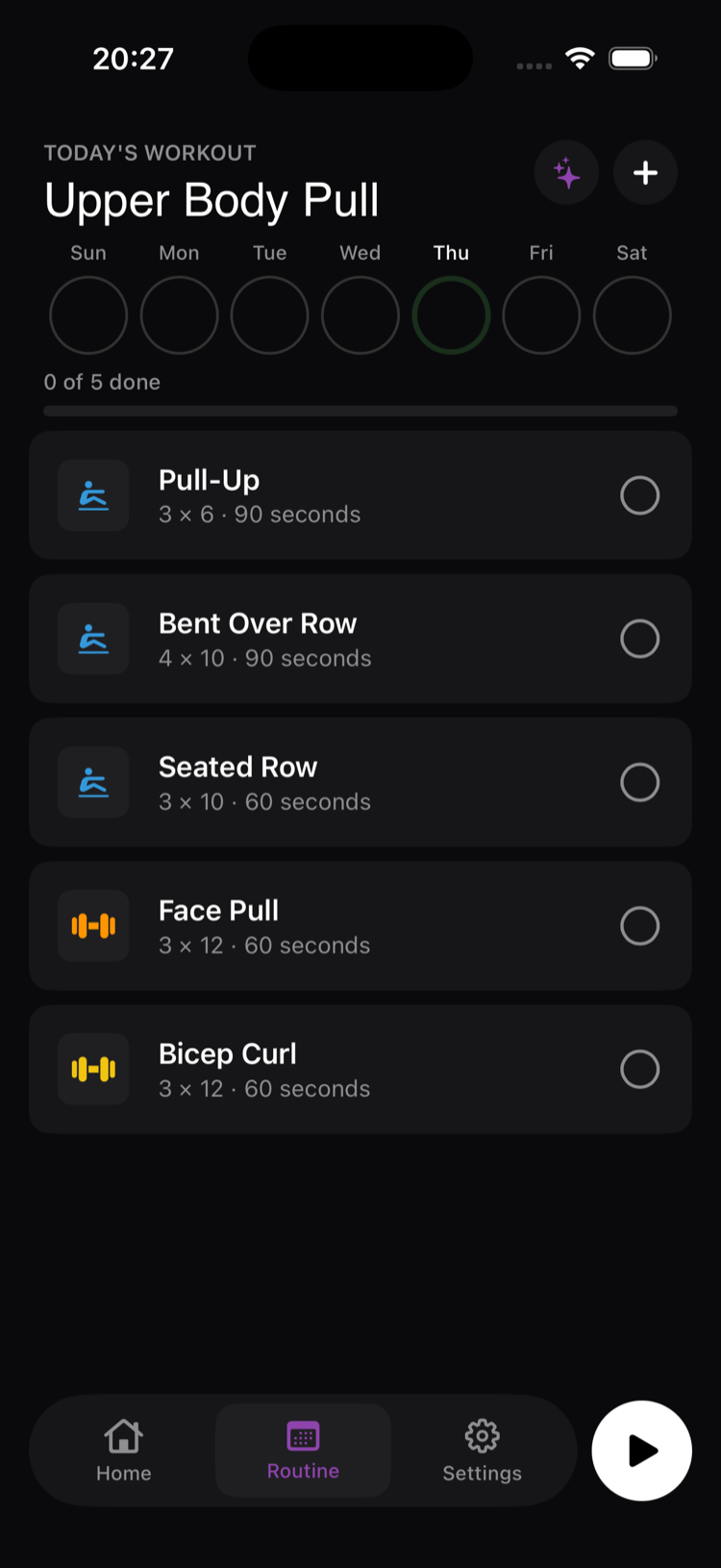
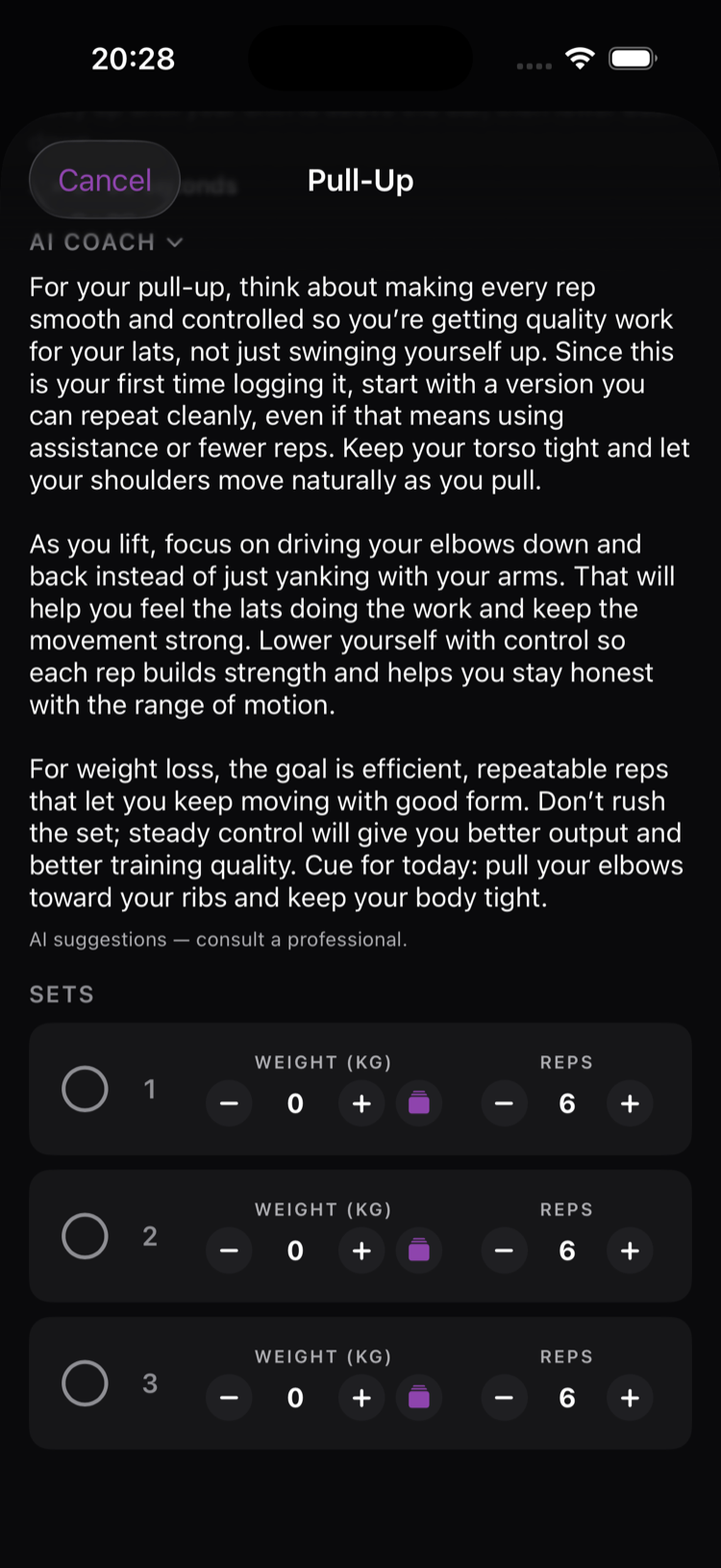
Trainer Gym AI collects your context, presents a plan and lets you record sets. Preview the plan screen and set-logging screen. It runs on iOS and Android. Its standard one-time unlock is $9.99 in the US, R$49.90 on iOS in Brazil and R$49.99 on Android in Brazil. Store promotions may differ.
If you already have a program, you may only need a logger. See Hevy pricing and free limits. To compare types of support, see five beginner training apps.
Prepare for the first visit
Get familiar with the space and ask for guidance on equipment you do not know. Allow time to read your plan, open demonstrations and record questions. Do not follow a weight or movement simply because an app suggests it. Individual adjustments require context a screen may not have.
The CDC provides general guidance covering both aerobic activity and strengthening. This page does not turn that guidance into a personal workout prescription or tell you to postpone one activity for months.
Keep records you can use
Save the exercise variation, sets and what you completed. If something was unclear, note the question for your next session or a professional. A record helps you compare your own sessions; it does not guarantee a particular visual change by a fixed week.
For how plans are generated and their limits, read how AI personal training works.
FAQ
Do I need AI to start going to the gym?
No. An understandable program and a way to record it may be enough. AI is one planning option, not a prerequisite.
Does an exercise demo prove I am doing it correctly?
No. It shows an example but does not assess your technique, symptoms or individual limitations.
What if I cannot do an exercise?
Do not force it to satisfy the app. Record the difficulty and seek guidance on adapting the program to your circumstances.
How soon will I see results?
Choosing an app does not guarantee a deadline. Track your records and discuss expectations and adjustments with appropriate individual guidance.